CodeXomics
The AI-native genome browser
Talk to your genome — AI agents drive the view and run the analysis.



CodeXomics is an AI-native genome browser — a cross-platform Electron workspace where conversational AI agents drive the visualization and run real biological analyses, with plugin development, benchmark testing, and Model Context Protocol (MCP) integration.
The current release is v0.722. Download installers from GitHub Releases, or build from source for the latest changes.
- Get Started
Install CodeXomics, configure an AI provider, and load your first genome.
- User Guide
Learn the genome browser, ChatBox, plugins, BLAST, and benchmark workflows.
- MCP Server
Connect CodeXomics tools to MCP-compatible clients in tools or agent mode.
- Developer Guide
Understand the codebase, tool registry, agents, plugins, and tests.
Install And Start
For the fastest start, download the latest release. For a source checkout, use Node.js 20 or 22 and npm 10+:
Then open Options -> Configure LLMs, add an API key or local endpoint, load a genome with File -> Load File, and ask the ChatBox to navigate or analyze it. The Getting Started guide covers the first session in detail.
What You Can Do
- Browse FASTA, GenBank, GFF/GTF, BED, VCF, SAM/BAM, WIG, KGML, and
.prj.GAIproject files. - Ask the ChatBox to search features, inspect tracks, calculate GC content, design primers, run BLAST, look up protein structures, or research a gene.
- Connect external clients through the MCP Server, or extend the app with plugins.
The current release is 0.722.0 (v0.722 display). See the release notes for version-specific changes.
Genome Visualization
- Load FASTA, GenBank, GFF/GTF, BED, VCF, SAM/BAM, WIG, KGML, and
.prj.GAIprojects. - Explore genes, sequence, GC content/skew, variants, reads, protein data, pathway views, and custom annotation tracks.
- Use SVG and Canvas renderers for responsive browsing across dense genomic datasets.
AI-Assisted Analysis
- Configure OpenAI, Anthropic, Google, DeepSeek, SiliconFlow, OpenRouter, or local LLM-compatible endpoints.
- Ask the ChatBox to navigate, search, analyze sequence content, design primers, run BLAST workflows, retrieve protein structures, and manage tasks.
- Use multi-agent routing for complex workflows that need decomposition and tool coordination.
- Run evidence-backed Deep Gene Research as a background task: live progress stays pinned in the ChatBox while it runs, and a reviewable annotation ChangeSet is created automatically when it completes — never applied without curator approval.
Extensibility
- Build plugins with the VS Code-inspired extension host and Plugin API
2.0.0. - Expose plugin functions to AI tool calling.
- Serve and test marketplace plugins through
packages/marketplace-server/.
MCP Integration
- Run CodeXomics as a standalone MCP server.
- Use tools mode for direct tool calls.
- Use agent mode when an external client should delegate natural-language prompts to the in-app AI pipeline.
Screenshots
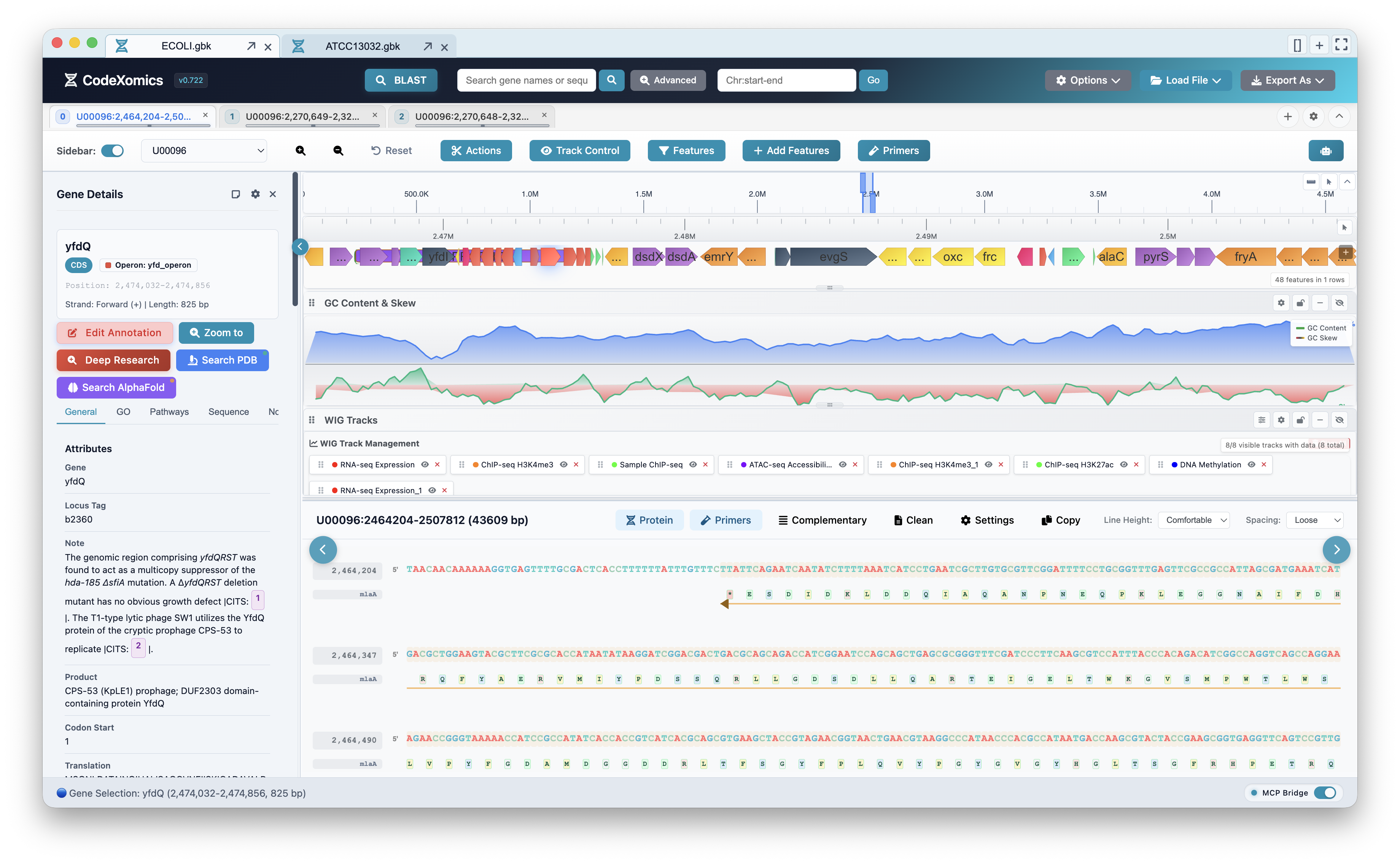
Genome browser
Feature track, GC content and skew, multi-track WIG data, the gene details sidebar, and the protein/sequence view.
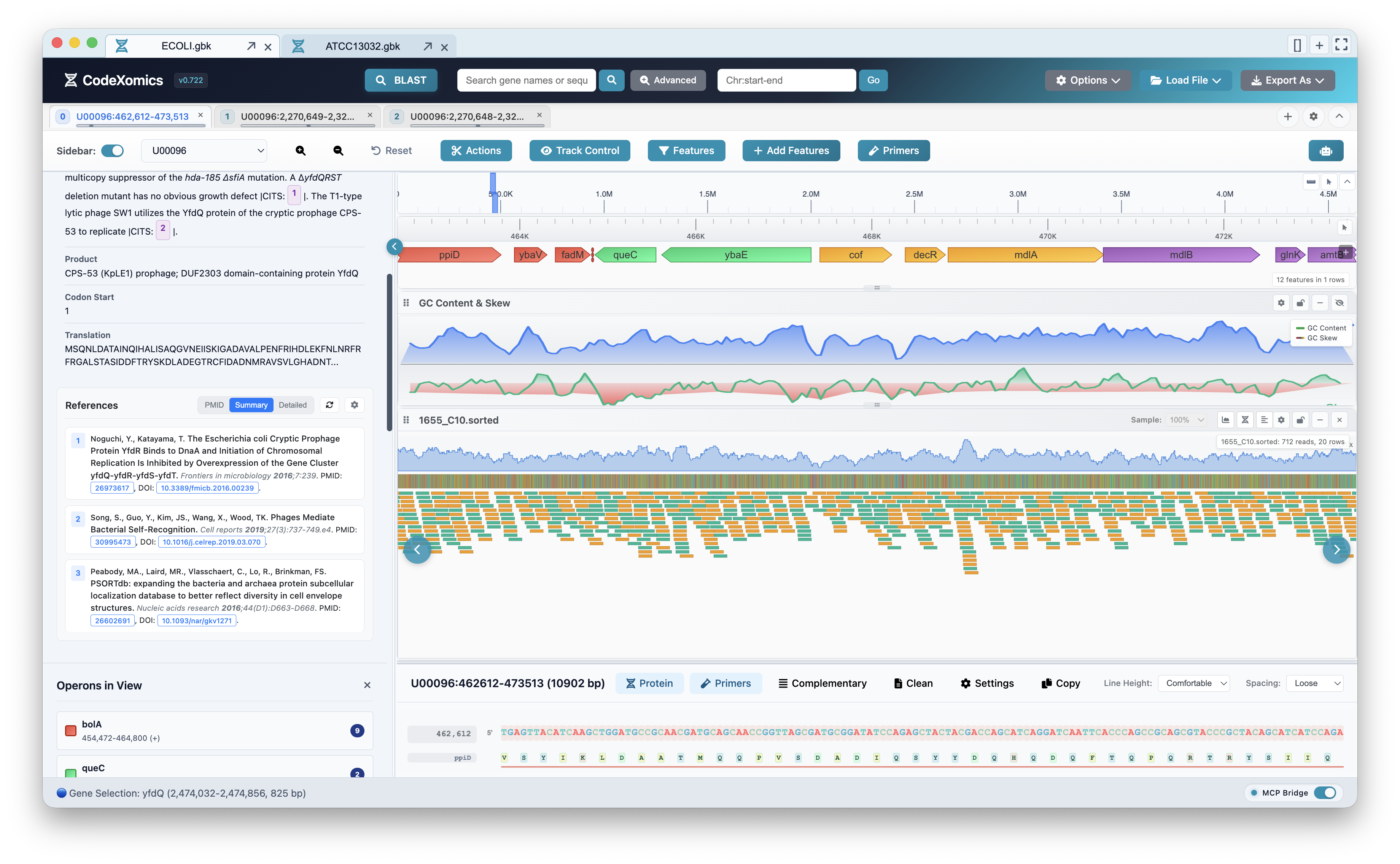
Read alignment and references
Coverage and base-resolution sequencing-read tracks alongside gene references and operons in the side panel.
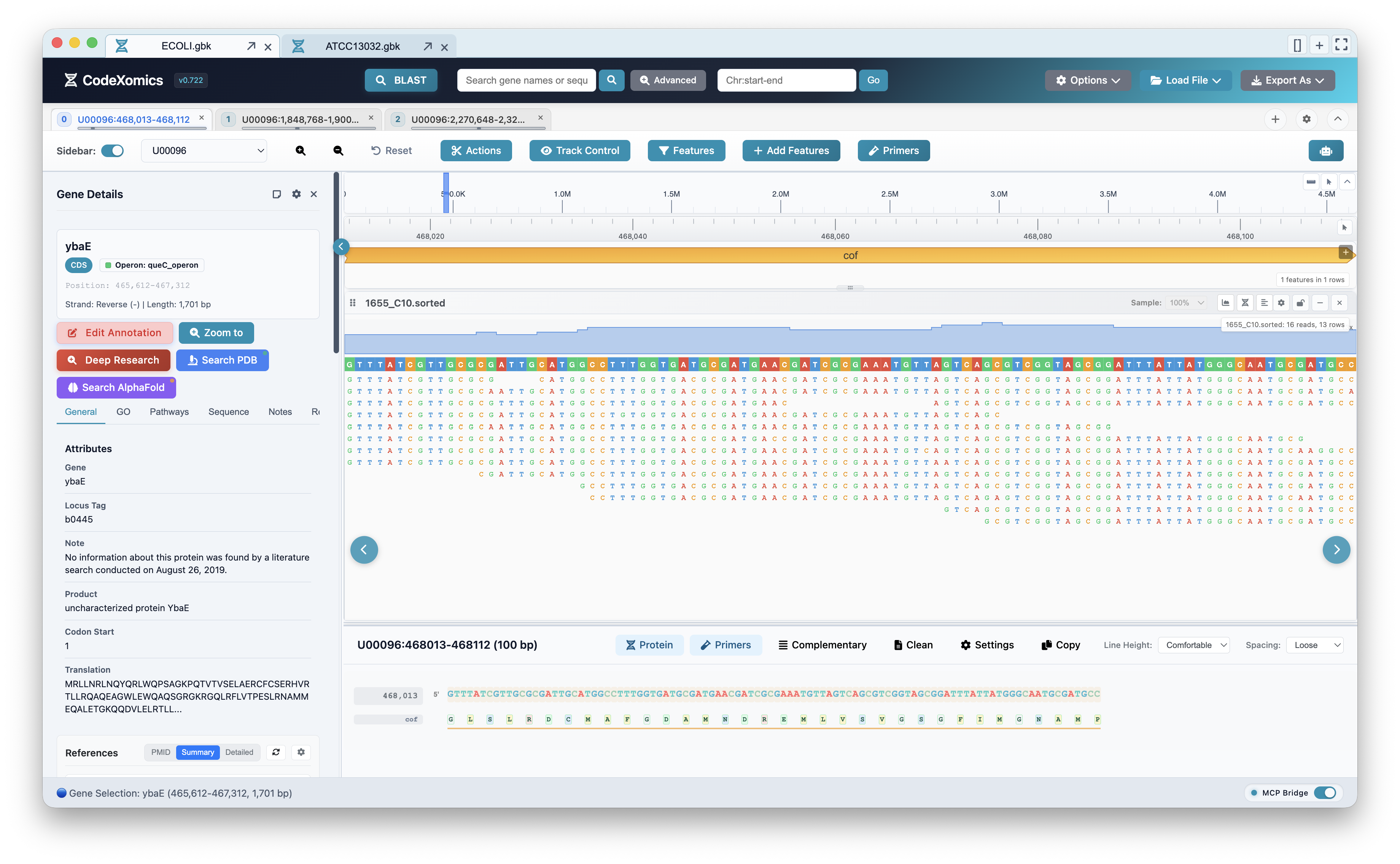
Base-level read pileup over a selected gene:
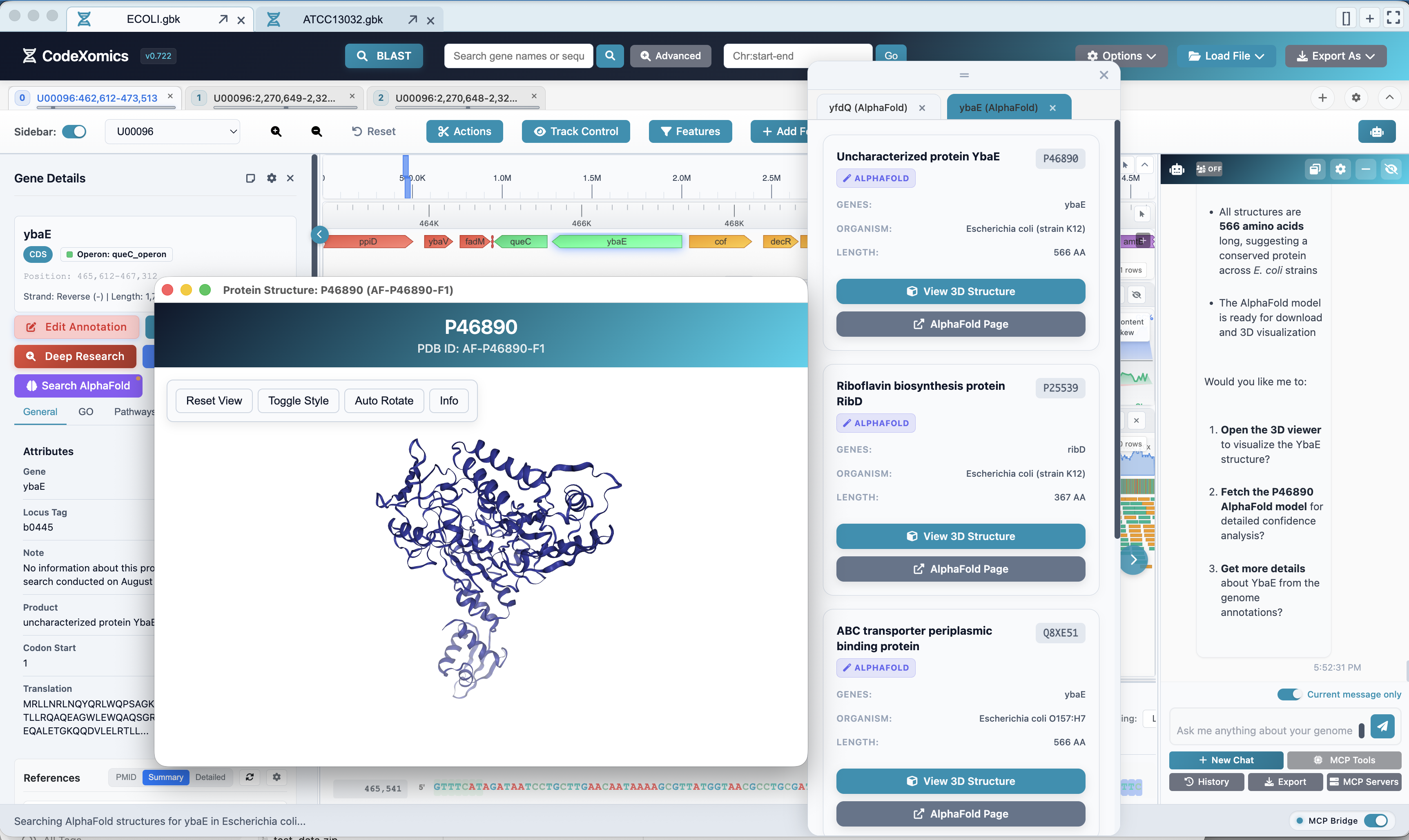
Protein structures
AlphaFold structure lookup and an interactive 3D protein viewer, driven from the AI ChatBox.
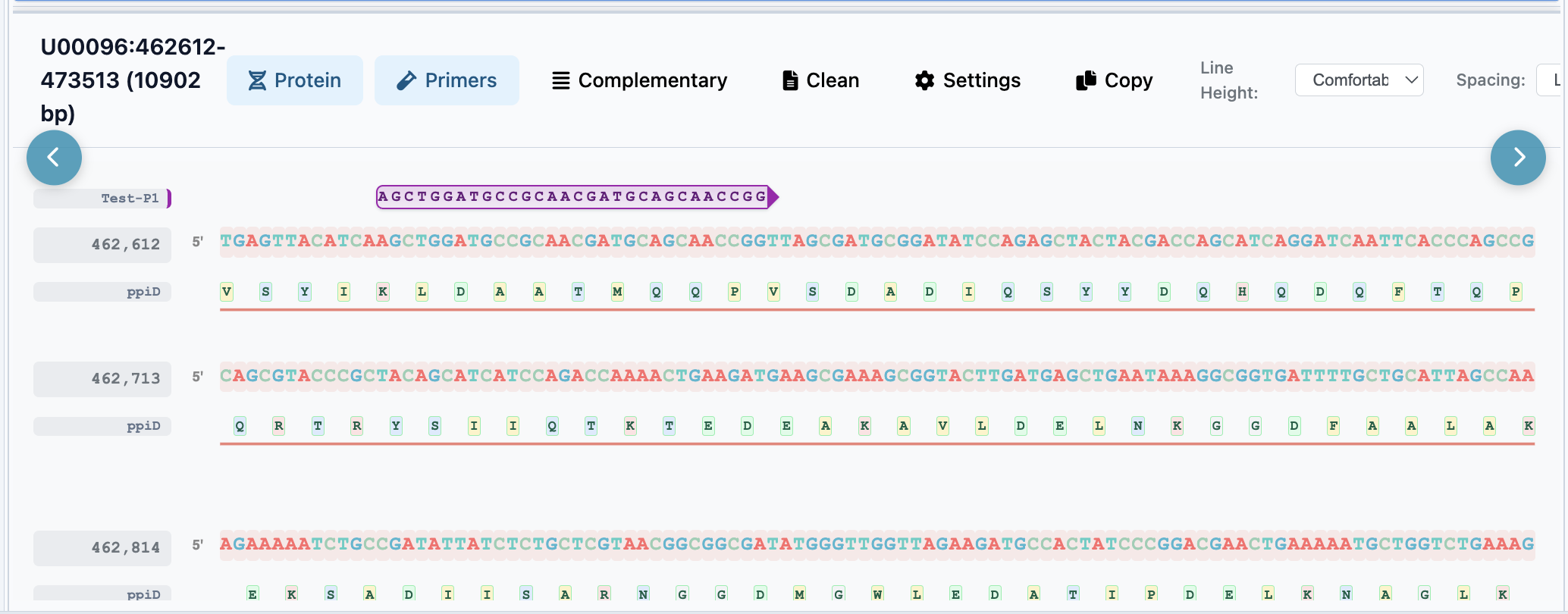
Primer design
Designed primers rendered directly on the sequence view.
Documentation Map
| Section | Start here |
|---|---|
| New users | Getting Started |
| Daily usage | User Guide |
| MCP clients | MCP Server Guide |
| Plugin users | Plugin Marketplace Guide |
| Developers | Developer Guide |
| AI coding assistants | AI Assistant Guidelines |
| Architecture | Multi-Agent System |
| BLAST | BLAST Guide |
| Benchmarks | Benchmark Methods |
| Current release | v0.722.0 Release Notes |